Add an expense in seconds
Type the amount, tap a category, save. Today, yesterday or any earlier date, with an optional note.
Your month at a glance
Balance, income and spending each month, every entry grouped by day, and Undo when you delete one.
Stay inside your budget
Set a monthly limit and a bar shows how much is left, or how far over you are.
Reports and export
Spending by category, the last six months side by side, and every entry exported to a spreadsheet.
Your money notes stay yours
Coinfold has no account, never connects to a bank and asks for no permissions. Your entries stay on your phone. The app is free with ads from Google AdMob, which never see your money notes.
Guides
Simple guides to tracking expenses, making a budget and keeping it.
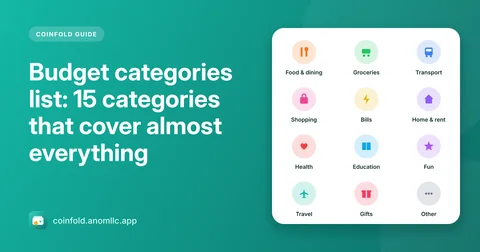
- Budget categories list: 15 categories that cover almost everything
A practical list of budget and expense categories, what goes in each, which are needs and which are wants, and how to add your own without making a mess.
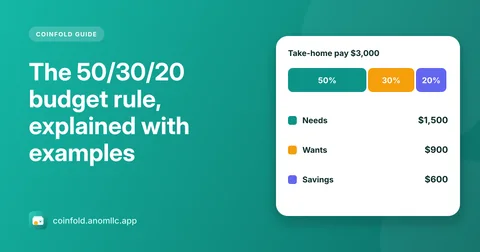
- The 50/30/20 budget rule, explained with examples
How the 50/30/20 rule splits your take-home pay into needs, wants and savings, worked examples, what counts as a need, and when to change the split.
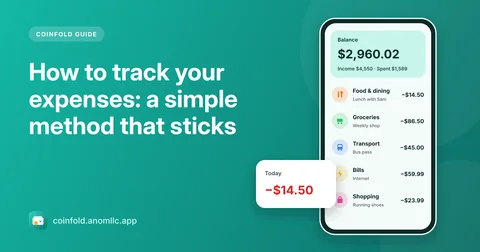
- How to track your expenses: a simple method that sticks
A simple way to track your spending every day: what to write down, how to pick categories, a two-minute daily habit and what to look at each month.
Questions
Is Coinfold free?
Yes, and there is no account to create. It shows a banner at the top of Home and Reports, and now and then a full-screen ad after you save a few entries, never while you type.
Does it connect to my bank?
No. Coinfold is a notebook for your own spending: you type what you spend and earn. It never asks for bank details and can't move money.
Where is my data kept?
On your phone. If backup is turned on in your phone's settings, Android can include Coinfold in your own Google account backup so it comes back on a new phone. You can also export everything to a CSV file.
Which currencies does it support?
It follows your phone's currency by default, and you can pick another in Settings, including the rupee, dollar, euro, pound, dong, rupiah, real and many more.
Can I make my own categories?
Yes. There are 16 ready categories, and you can add your own with a name and an icon, rename them or delete them. Entries from a deleted category move to Other.
Which phones and languages does it support?
Android 8.0 or newer, phones and tablets. The app is in English, Spanish, Portuguese, Hindi, Vietnamese and Indonesian.